

Understanding the Challenges of Traveling with Fragile Electronics
Common Risks and Damages
When traveling with fragile electronics, you expose your devices to a variety of risks that can cause damage or loss. These risks range from physical impacts, such as drops or pressure inside luggage, to environmental factors like moisture, extreme temperatures, and static electricity. Additionally, rough handling during security screening or transit can lead to scratches, cracked screens, or even internal damage. Understanding these hazards is the first step to safeguarding your valuable gadgets.
Importance of Proper Packing
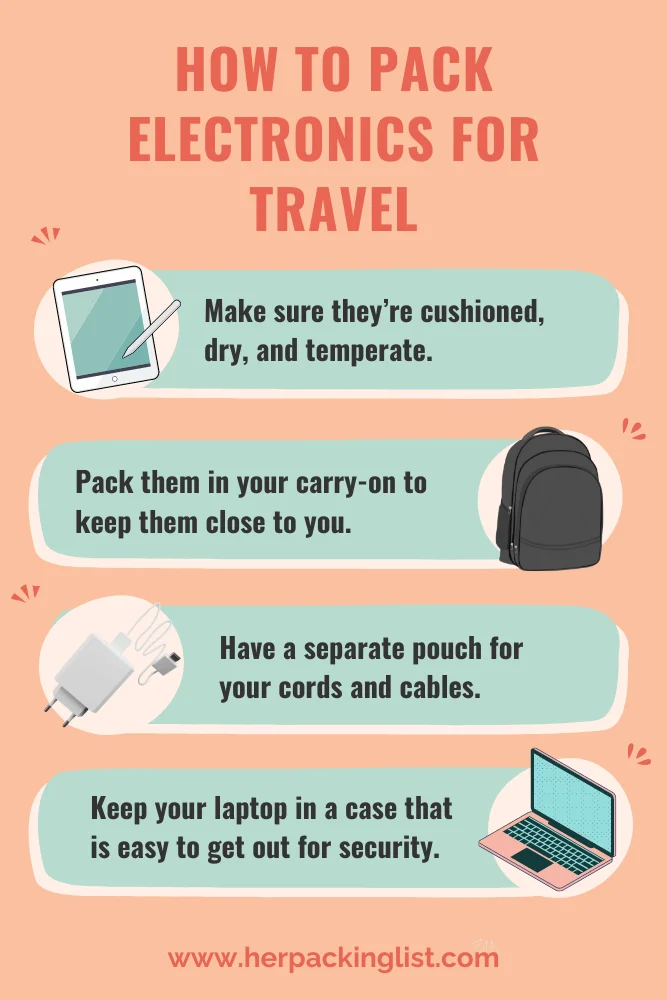
Proper packing is essential not only to protect your devices but also to keep your accessories organized and accessible. A well-packed bag helps prevent damage by cushioning electronics against shocks and avoiding tangling or loss of small components like cables and memory cards. Moreover, efficient packing ensures smoother security checks by allowing easy inspection of devices. Taking the time to organize your electronics thoughtfully can save you stress, money, and downtime during your trip.
Essential Packing Materials for Electronic Gadgets
Choosing the Right Protective Cases
Selecting protective cases designed specifically for your devices provides the first level of defense. Hard-shell cases or padded sleeves absorb shocks and protect against scratches and dust. For fragile items such as cameras or tablets, a case with reinforced corners and secure closures is advisable. This specialized protection reduces the risk of damage from knocks or pressure changes during travel.
Using Bubble Wrap and Foam Inserts Effectively
While cases offer primary protection, adding layers like bubble wrap or foam inserts enhances cushioning, especially for delicate accessories and components. Wrapping fragile electronics in bubble wrap before placing them in your luggage creates a buffer against jostling. Foam inserts can be custom-cut to snugly fit your devices and prevent shifting during movement. Using these materials strategically ensures stability and shock absorption inside your bag.
Anti-Static Bags and Their Role
Electronics are vulnerable to static electricity, which can damage sensitive circuits. Anti-static bags provide an extra safeguard by dissipating static charges and reducing the risk of electrostatic discharge. Storing circuit boards, memory cards, and other sensitive components in these bags is an effective way to maintain their longevity and functionality throughout your travels.
Step-by-Step Guide to Packing Your Electronics Safely
Preparing Devices Before Packing
Begin by powering down all devices and removing batteries where possible. Fully charge backup batteries and test chargers ahead of time to ensure functionality. This reduces the chance of carrying non-working items. Clear personal data and back up important files before departure as an added precaution. Applying a card with your name and contact information taped securely on each device can assist in recovery if lost.
Layering and Organizing Accessories
Organizing smaller components is as important as protecting the main devices. Use brightly colored packing cubes to categorize electronics and accessories visually. Place frequently used items like earbuds or memory cards in small pouches within your purse or carry-on bag for easy access. Layer items thoughtfully—larger electronics should sit on top for quick screening, while smaller gadgets and cables can be spread beneath. This approach helps maintain order and prevents tangled cords.
Securing Chargers, Cords, and Small Components

Wrap cables neatly and store them consistently, such as in a Grid-It organizer where accessories follow a specific pattern. This not only keeps them tangle-free but also quickly reveals if something is missing. Avoid carrying multiple unnecessary cables for the same device to reduce bulk and confusion. Use mesh pockets inside packing cubes to pin small valuables like car keys, helping prevent misplacement during transit.
Smart Travel Bags and Carry-On Choices
Features to Look for in Tech-Friendly Luggage
When selecting a travel bag, prioritize features that enhance device safety and convenience. Look for padded compartments specifically designed for laptops and tablets to protect against impacts. Waterproof materials can minimize damage from unexpected spills or weather conditions. Easy access pockets for liquids and electronics facilitate smooth airport screening. Additionally, consider TSA-recognized locks to secure your belongings without impeding security checks.
Comparing Backpacks, Hard Cases, and Rolling Bags
Each luggage type offers distinct advantages depending on your travel style. Backpacks provide mobility and often include multiple compartments for gadgets, promoting organized packing. Hard cases deliver robust protection against crushing but may add weight. Rolling bags ease the burden of carrying heavier electronics over longer distances while maintaining protection. Choose a bag that balances protection, accessibility, and comfort based on your itinerary.
Tips for Handling Fragile Electronics During Transit
Checking and Carrying Your Devices
Always keep valuable electronics and accessories in your carry-on luggage rather than checked bags to avoid loss or damage. Place large devices on the top layer of your carry-on for easy removal during airport security. If possible, travel without a laptop if a phone or tablet suffices, reducing the risk and burden. Carry noise-cancelling earbuds to enjoy a better audio experience during flights or commutes.
Dealing with Airport Security Checks
Airport security often requires electronics to be screened separately. To streamline this process, pack devices where they can be easily removed and replaced. Keep the 3-1-1 liquids bag in a front pocket for quick access. Additionally, ensure all pockets are emptied, bulky jewelry removed, and ID plus boarding passes readily available. If traveling with pets, bring a leash to facilitate carrier screening. Familiarize yourself with TSA PreCheck® lanes when available for expedited checks.
Maintaining Device Safety Overseas
Charging and Usage Best Practices
Before leaving, make sure all portable batteries are fully charged. Carry extra memory cards and batteries for cameras to avoid interruptions. Use plug adapters suitable for the destination country to prevent damage from incompatible outlets. Charging devices in safe, dry areas away from direct sunlight or moisture helps maintain their condition. Monitor device temperatures during use, especially in extreme climates, to avoid overheating.
Protecting Against Weather and Environmental Factors
While outdoors, protect electronics from rain, sand, and dust by using waterproof or dustproof cases. Avoid exposing devices to prolonged heat or cold, which can degrade performance and battery life. Store gadgets inside padded compartments within your bag when not in use to shield them from environmental stressors. Taking these precautions preserves device function and ensures reliable performance throughout your trip.


